

Databases
A database is a collection of pages that share properties, shown through views: a table, a board, a calendar, a gallery or a list. Use one for projects, a reading list, a CRM, meeting notes or anything else with structure.
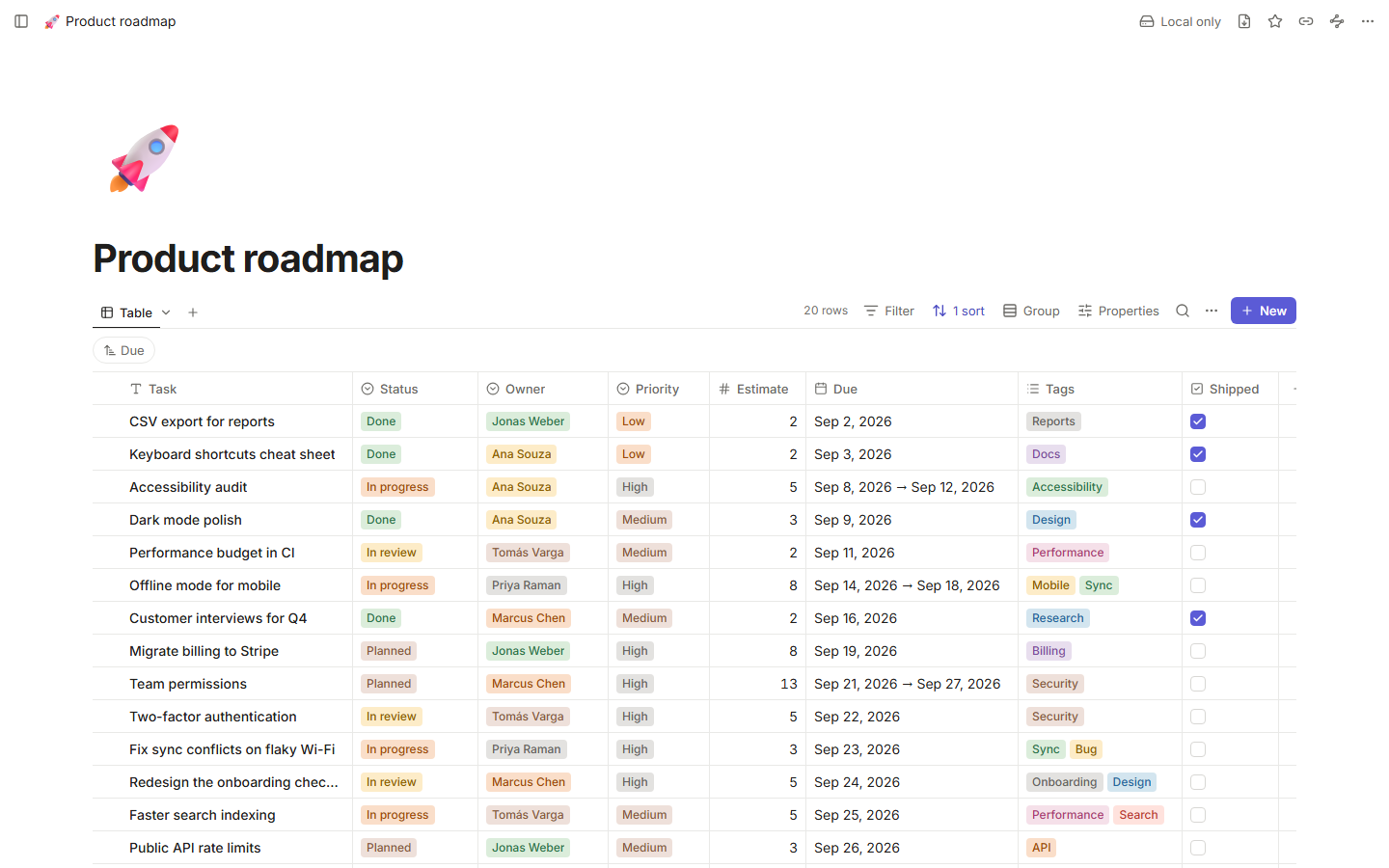
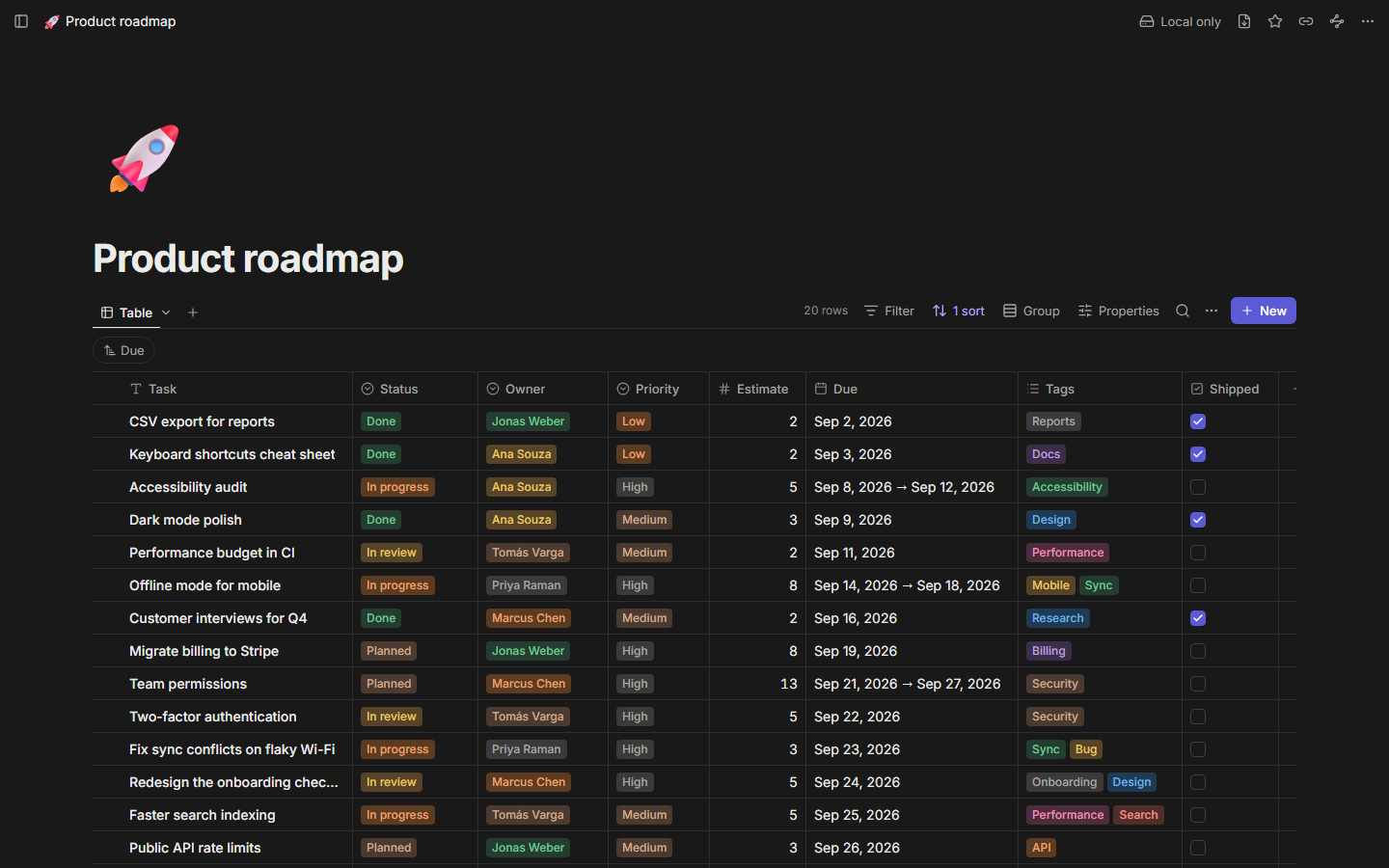
Create a database
- Full page: create a new page and choose Database, or add one from the sidebar.
- Inline, inside a page: type
/databasein the editor. - From a CSV file: import it and Tessera infers the column types. See Import and export.
Every row is also a page. Open a row to write in it like any other page; its properties sit under the title.
Properties
| Type | Holds |
|---|---|
| Title | The row's name (every database has exactly one). |
| Text | Plain text. |
| Number | A number, shown plain, as a percentage or as a currency. |
| Select | One option. Options have colors; create one by typing a new name. |
| Multi-select | Several options. |
| Date | A date or a range, with or without a time. |
| Checkbox | Done or not. |
| URL, Email | Links you can click. |
| Relation | Links to rows of another database (or any page), shown on both sides. |
| Created time | When the row was created (automatic). |
| Updated time | When the row last changed (automatic). |
| Formula | A value computed from other properties. See Formulas. |
Click a column header to rename a property, change its type, hide it, sort or filter by it, or delete it. Changing a type converts the values; values that don't fit the new type are kept hidden, so switching back restores them.
Formulas
Add a Formula property and write an expression that reads other properties (click one in the list to insert it) and combines them with functions: logic (if, and, or, not, empty), math (round, abs, min, max, sum, …), text (concat, contains, upper, slice, …) and dates (now, dateAdd, dateBetween, formatDate, …). The editor shows a live preview and points at the exact position of any error.
Views
Each database can have several views, shown as tabs. Every view keeps its own filters, sorts, grouping and visible properties, so "My tasks" and "Everything by status" can live side by side.
Table
A spreadsheet-like grid that stays smooth with 10,000 rows. Edit cells in place, move with the arrow keys, copy and paste ranges, resize and reorder columns, freeze the first column and show a summary row (count, sum, average, earliest date and more). Mod+Enter adds a row.
Board
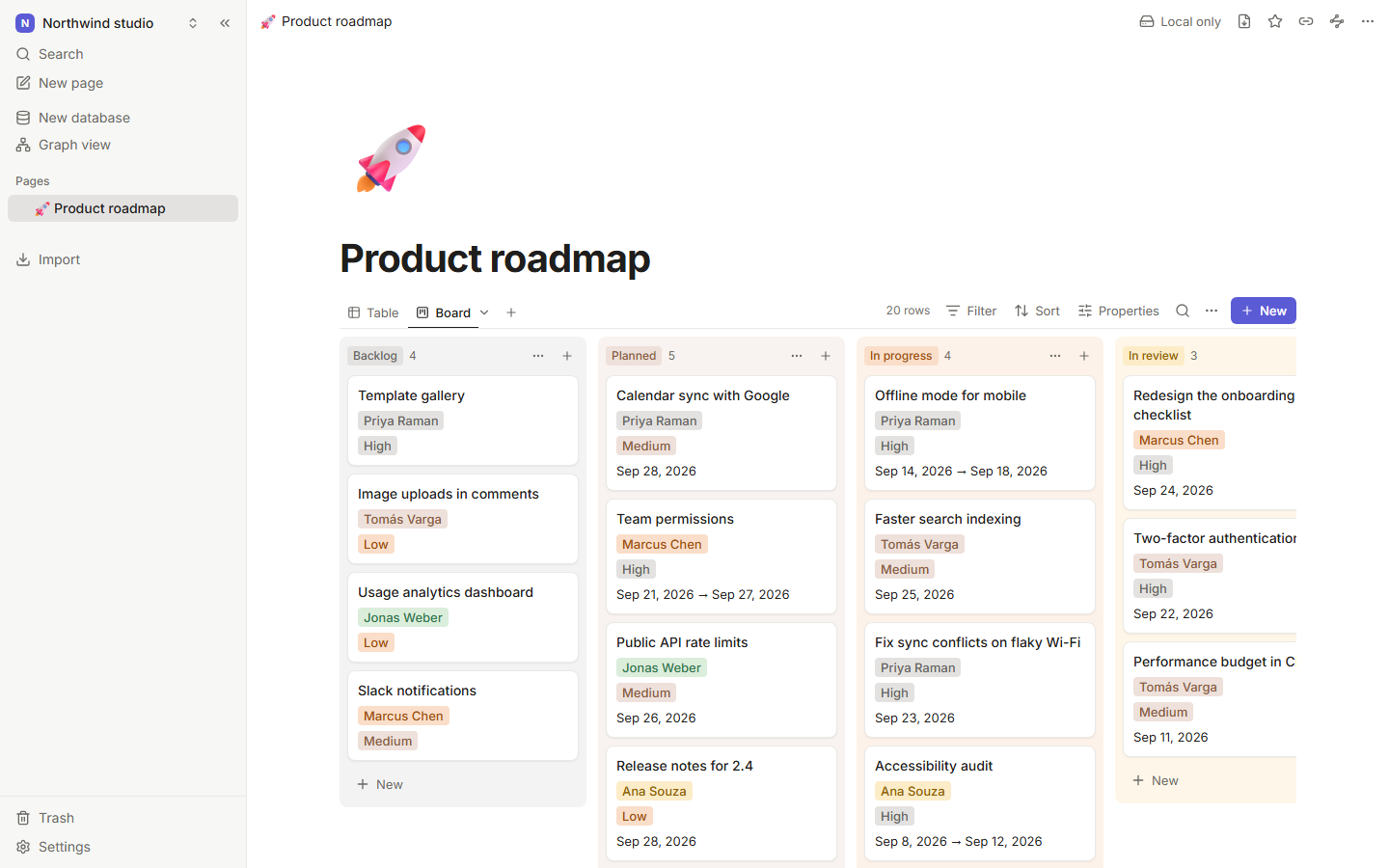
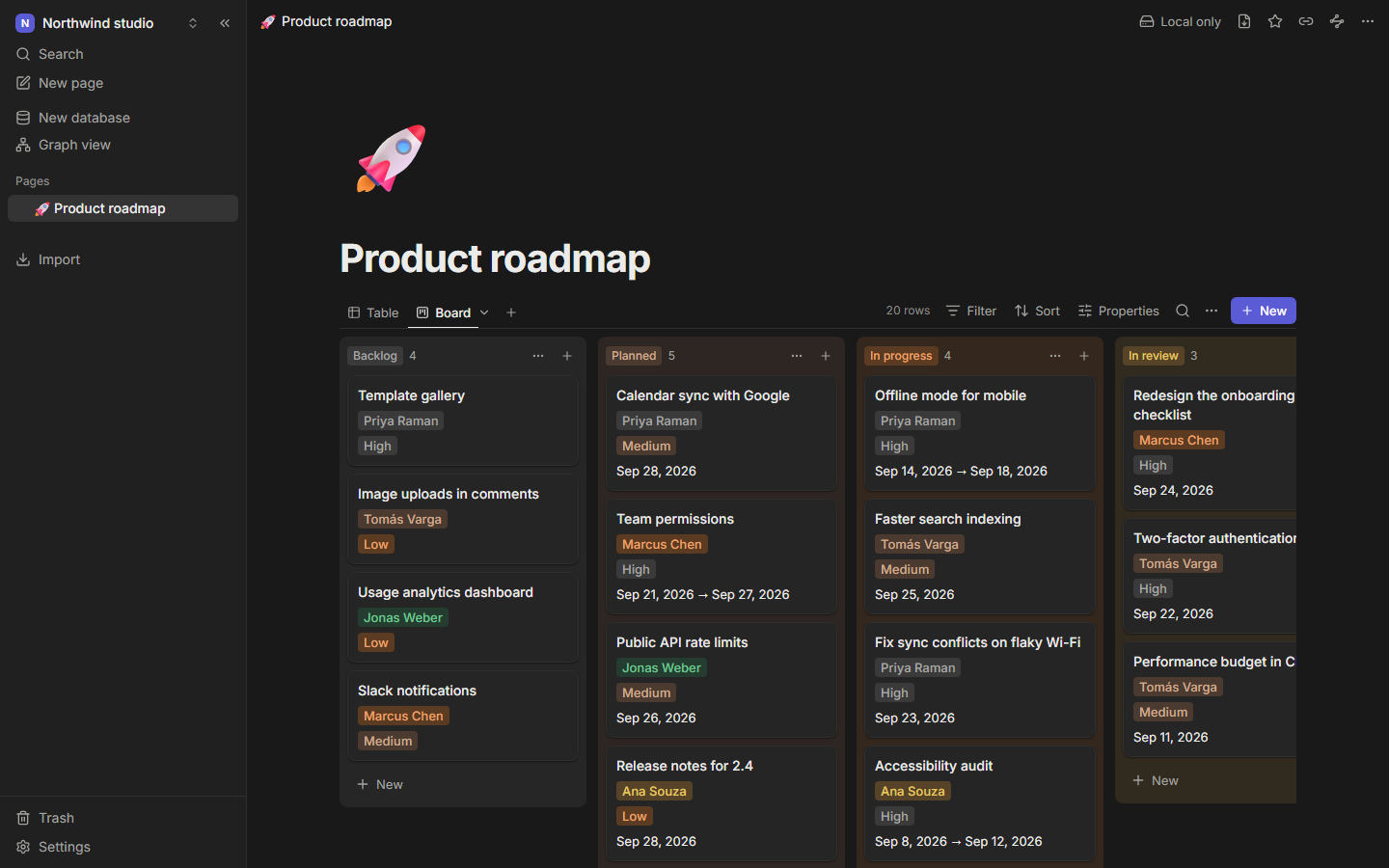
Cards grouped by a select, multi-select or checkbox property. Drag a card to another column to change its value, add cards to a column, and collapse or hide groups.
Calendar
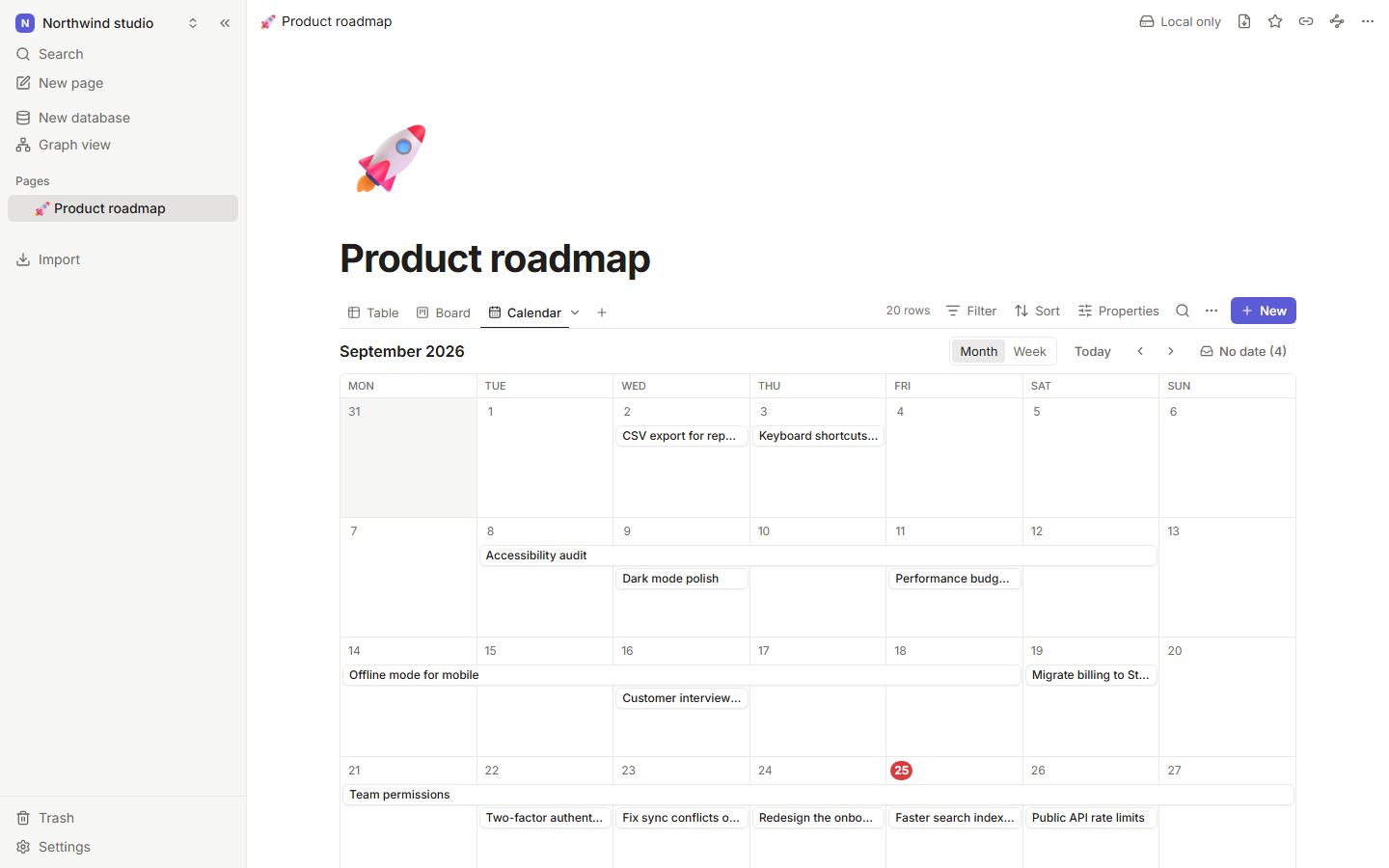
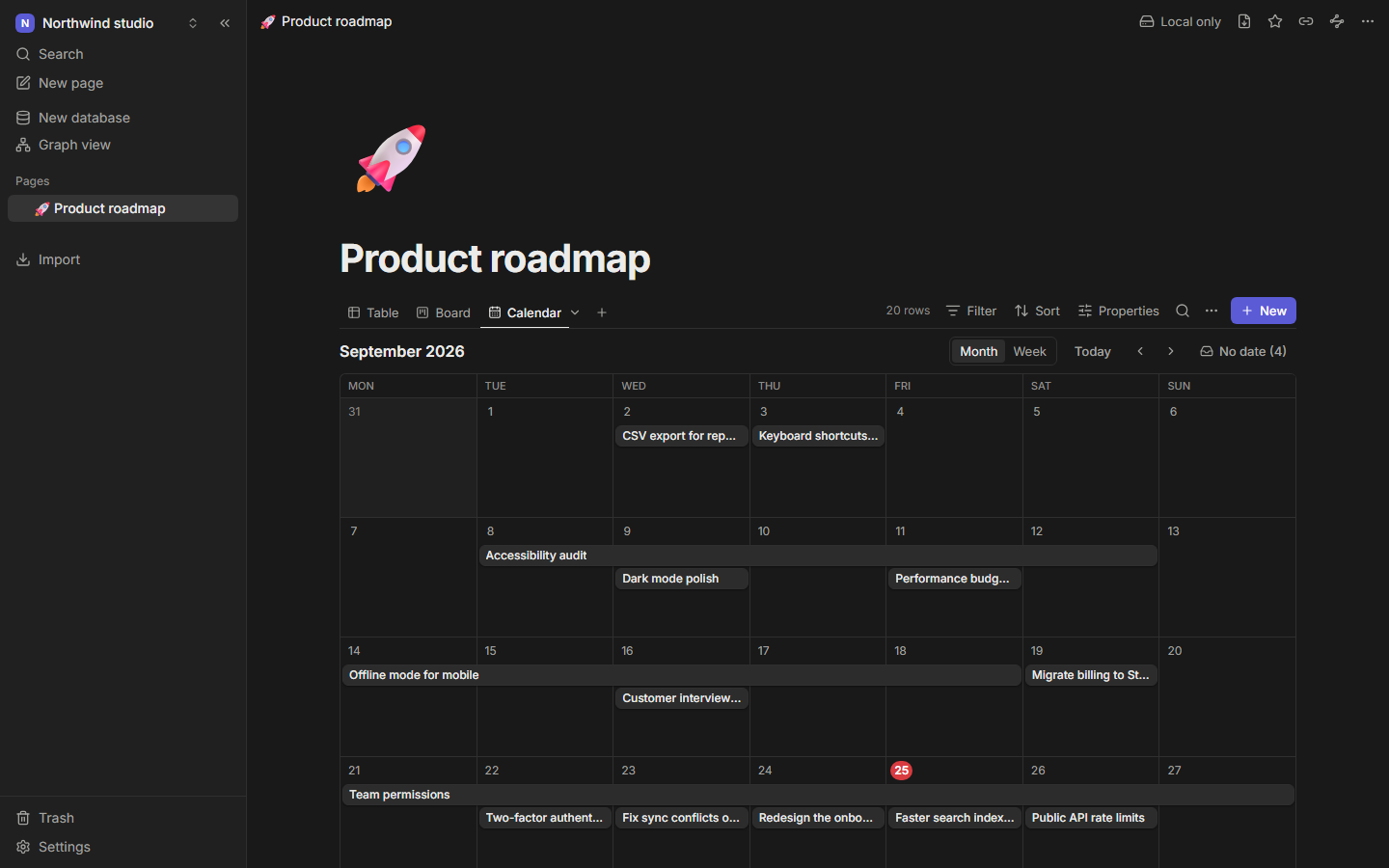
Rows placed by a date property, by month or week. Drag to reschedule, drag the edge of a range to resize it, and click an empty day to add a row there. Undated rows wait in the No date tray.
Gallery
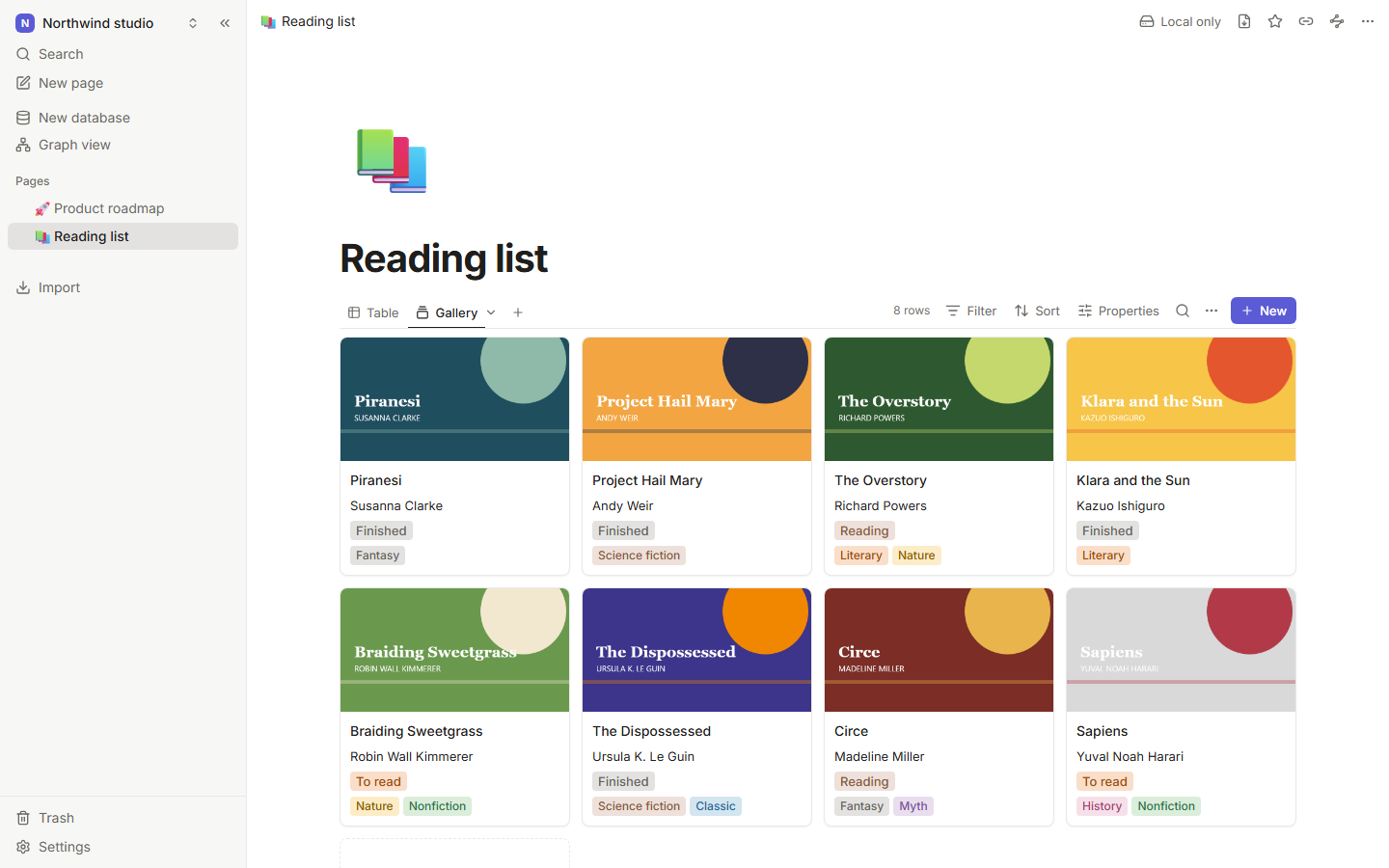
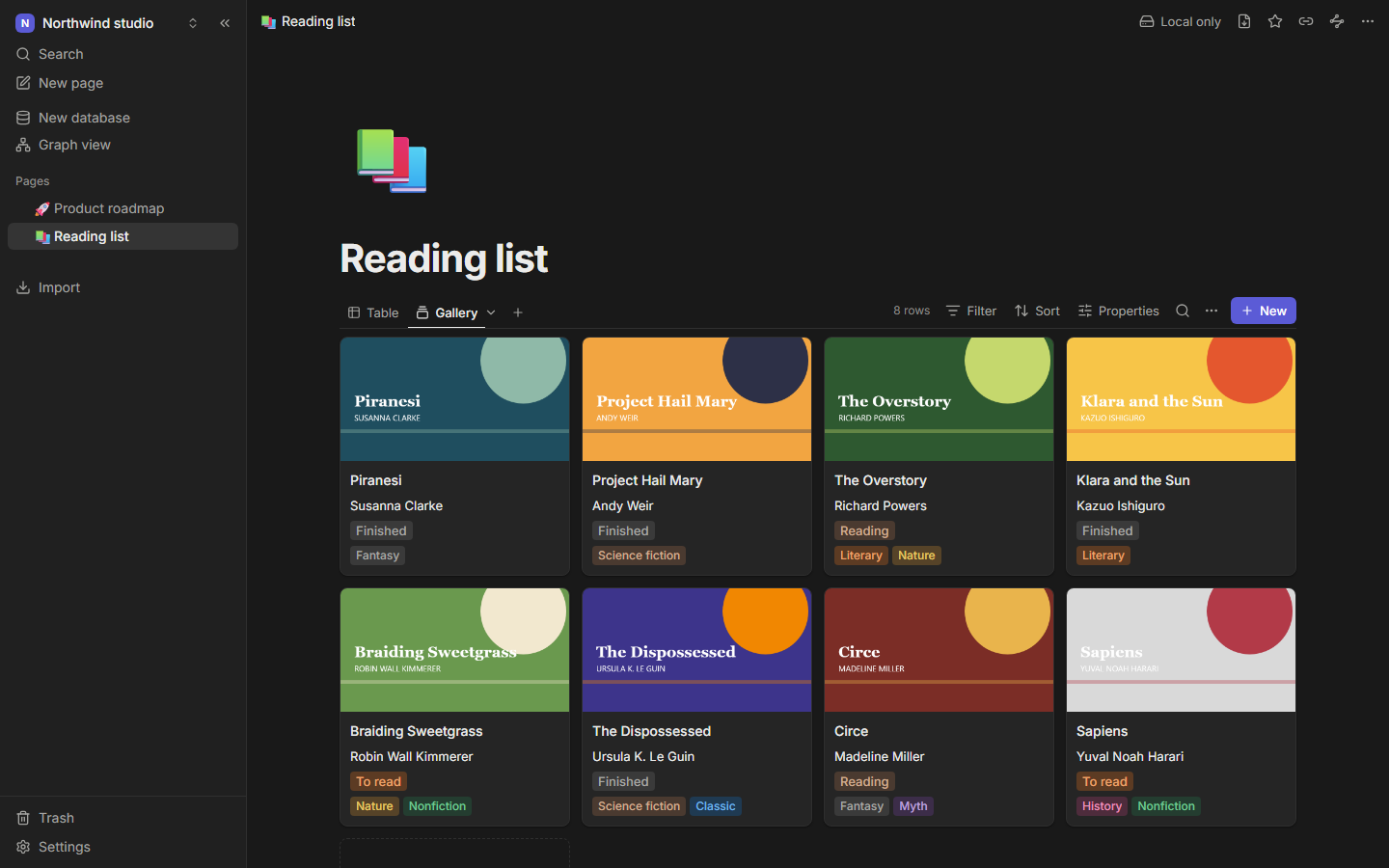
Cards with a cover (the first image in the row's page), the title and the properties you choose, in three sizes.
List
Compact rows with the properties you choose. Good for inline databases.
Filter, sort and group
The Filter button builds conditions like "Status is Done" or "Due date is within the next 7 days". Group conditions with and and or, and nest groups. Active filters show as chips above the view. Sort takes several levels. Group splits the table view by a property.
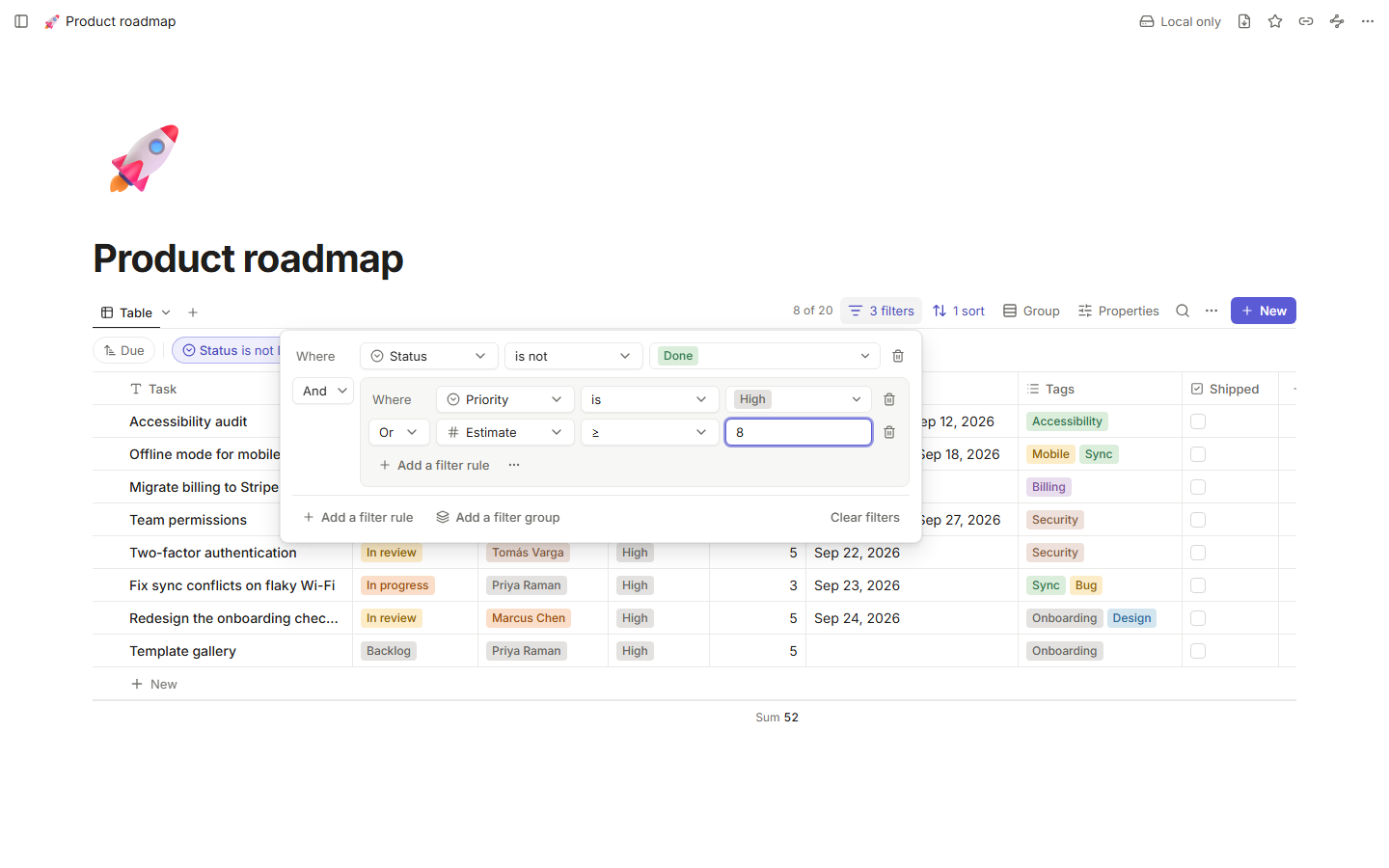
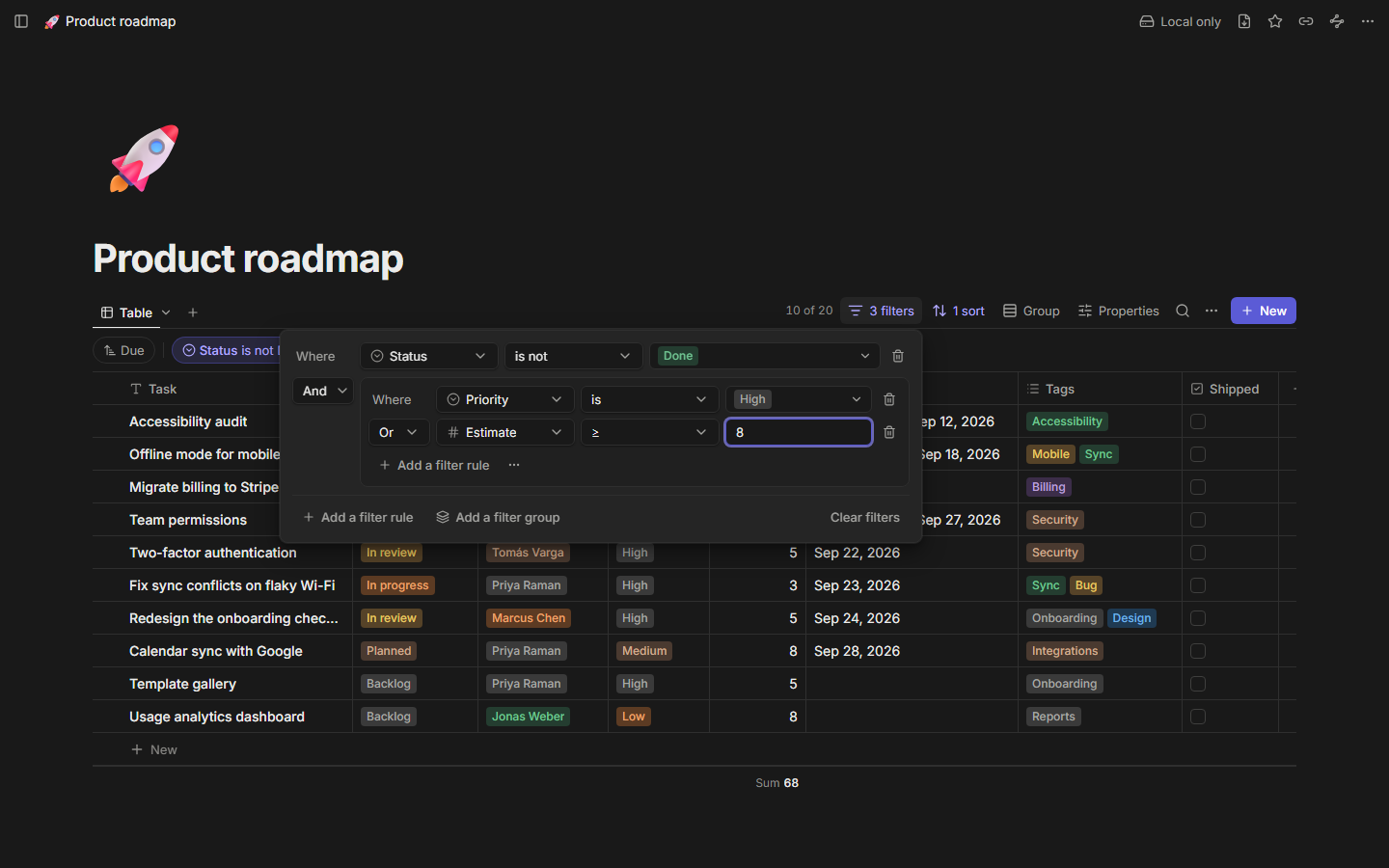
Search inside a database with the search box above the view.
Templates
Set a page as the database's template and every new row starts with its content: a checklist for each new project, or a meeting-notes outline.
Undo
Deleting a row, a property or a view shows a toast with Undo. Rows you delete go to the trash like any page.
Export
Export the current view to CSV from the view menu. The columns and rows match what the view shows.